
Changing or resetting your Greetly password is quick and easy!
Any new password must meet all of the requirements listed below:
-
Contains a minimum 10 characters
-
Includes at least one uppercase letter (A - Z)
-
Includes at least one lowercase letter (a – z)
-
Includes at least one number (0 – 9)
-
Includes at least one special character, such as ! $ # & ^
If you are logged in:
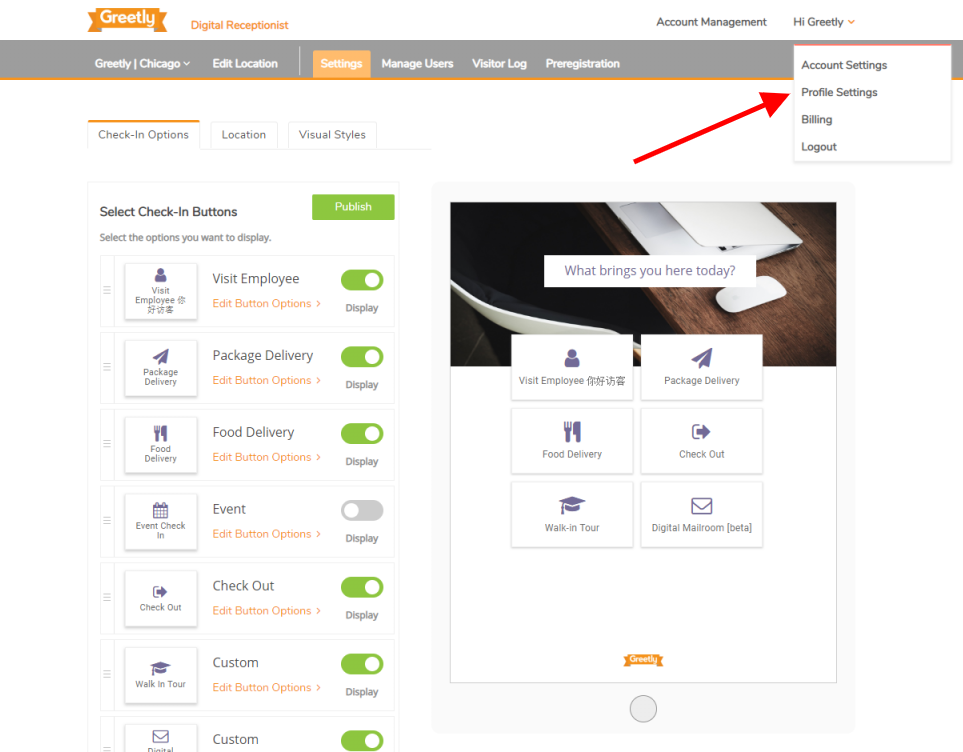
Hover your mouse over "Hi, (your name)".
Select Profile Settings.
Go to the Change Password tab.
Enter your new password.
Re-enter your password to confirm.
Select Update.
If you are logged out and locked out of your account:
Visit https://app.greetly.com/password/new.
Enter your email address in the input field.
If that email address is associated with a Greetly account you will receive a reset email within seconds. Please make sure to check your inbox spam folder.
Follow the instructions to reset your password.